
See where every single dollar went, and what it was for
Klir shows you all your money and explains where it went, in plain English. It's built for people with a first job or first card, because the money apps that replaced Mint are priced and written for 35-year-olds with a mortgage. You get straight answers, not a lecture about what you should have done.
What it looks like
Klir is not open to everyone yet, but it is built and running. Every picture below is a real screen, taken straight from the app. The account names and amounts in them are sample data, not anyone's real account.
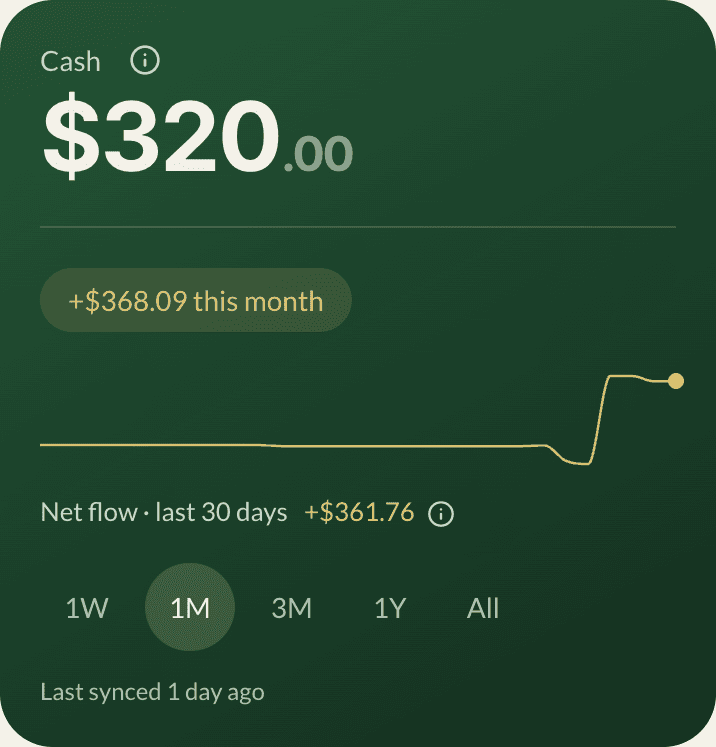
- $320.00 is checking plus savings, added up across every bank you connect.
- The line is money in against money out over 30 days. It is not your balance, and the label says which one it is.
- A last-synced line sits underneath. A money number with no timestamp is one you cannot check.
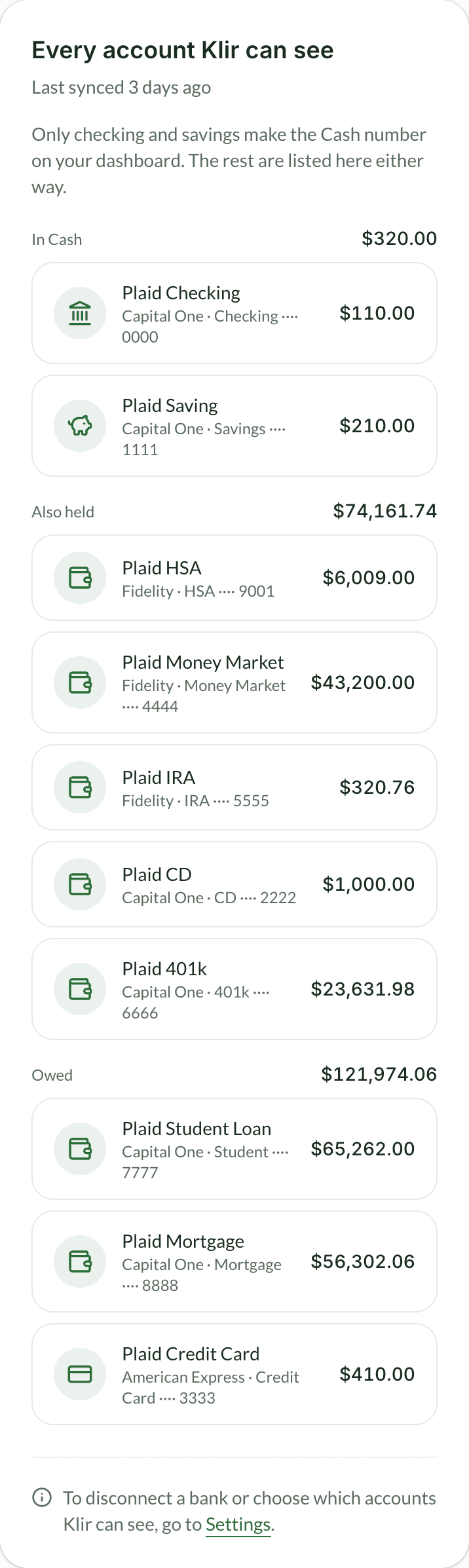
- Ten accounts across three banks, each under a heading that says which side it is on and carries its own subtotal.
- Only checking and savings are Cash, which is why that first total is $320.00 and not $74,481.74. The page says so in its own words.
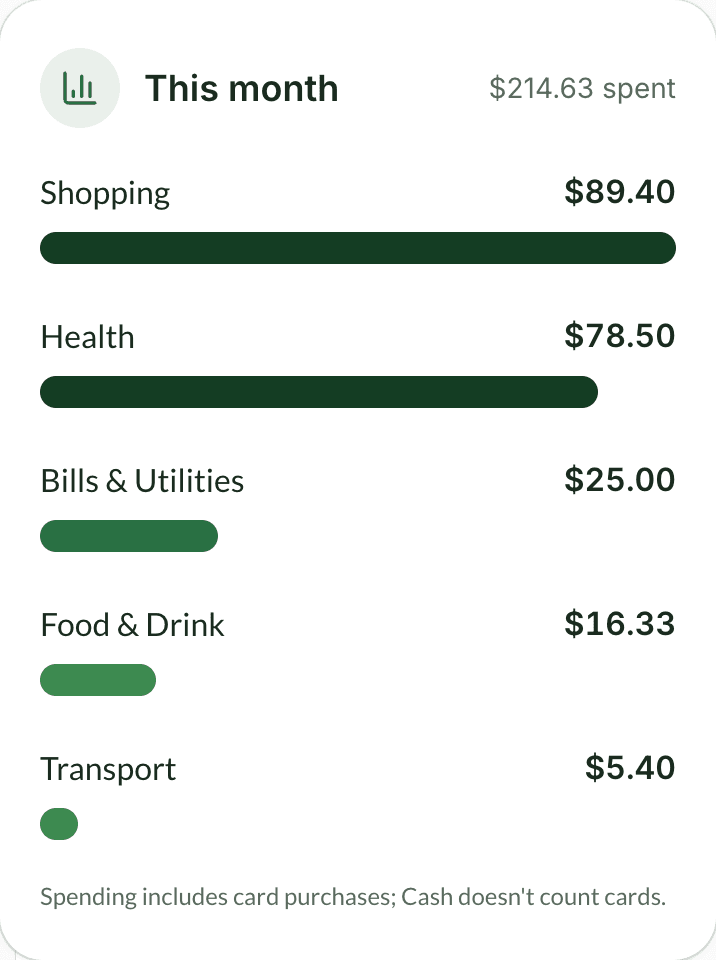
- $4,299.46 spent so far, split by category with the biggest first.
- Bills & Utilities took $2,603.50 of it. The bars are lengths, not a pie you have to decode against a legend.
- Buying something on a card still counts as spending, even though a card never counts as cash. The card says so rather than leaving you to work it out.
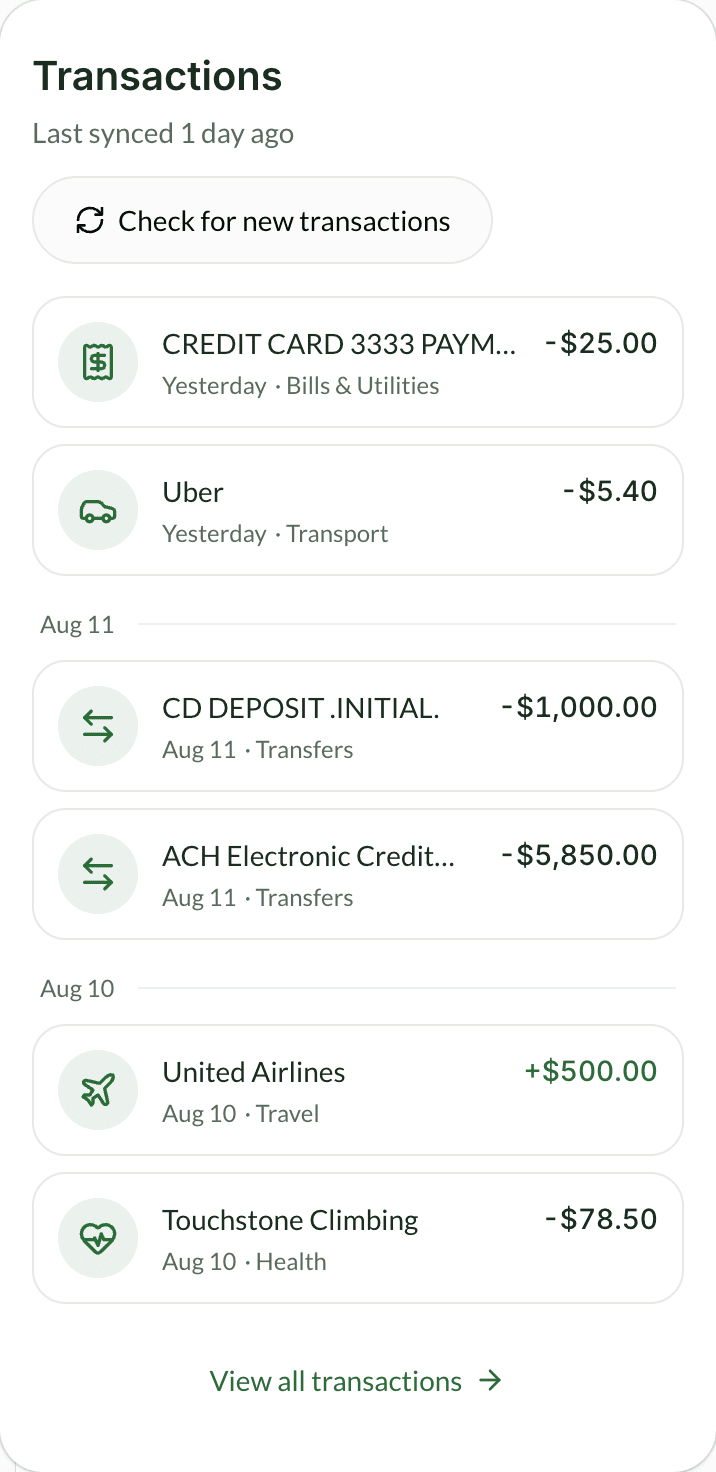
- Every charge sits under the day it landed, so you are never counting backwards to work out when something happened.
- CD Deposit .Initial. is the whole of what that $1,000 charge tells you. The Explain button on the same row is what turns it into a sentence.
- Money out is plain black and money in is green. An ordinary week should not look like a page of errors.
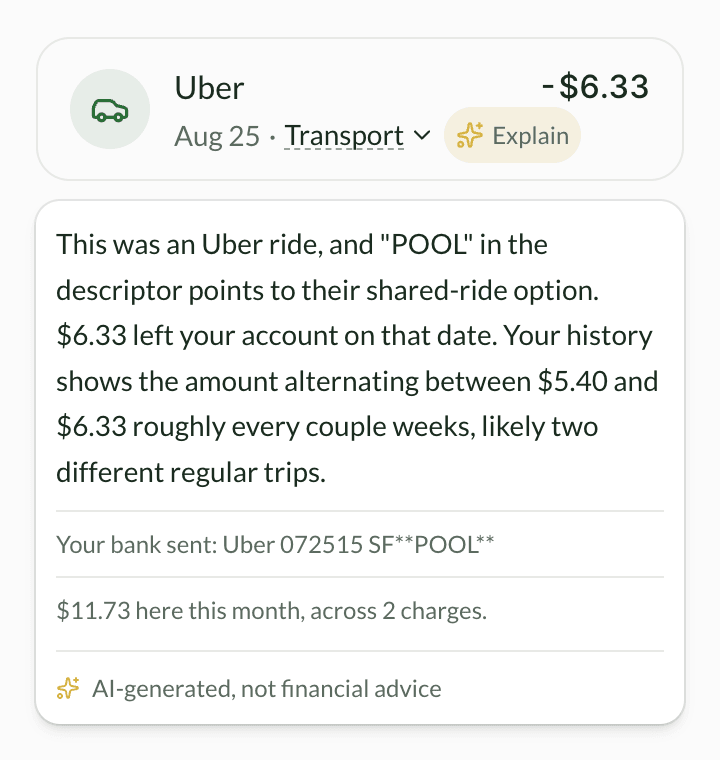
- Every charge in your list has an Explain button. One tap, no typing, no searching the merchant yourself.
- Klir reads the raw line your bank sent, not the tidied-up name, and tells you what the odd part means. Here that is POOL, which is Uber's shared-ride option.
- Then what that merchant has cost you this month, from your own charges. Klir works this out itself, so it is right even when the explanation above is not available.
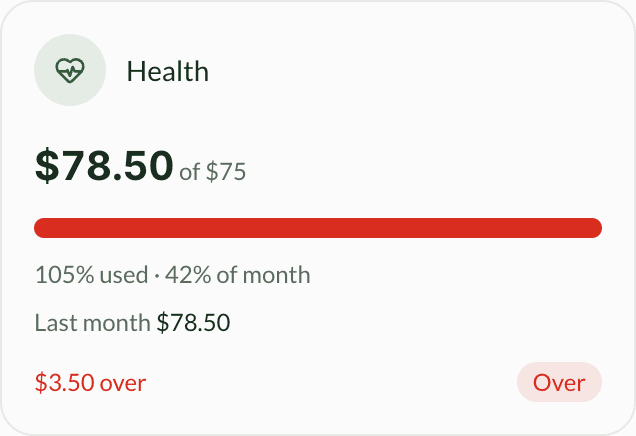
- $78.50 spent against a $75 limit, so this one is over. That $75 is one of Klir's starting limits, not a number picked by hand.
- 105% of the budget against 42% of the month. That pairing is the whole point: 85% reads very differently on the 4th than on the 28th.
- Over is spelled out next to the red. Colour is never the only thing carrying the message.
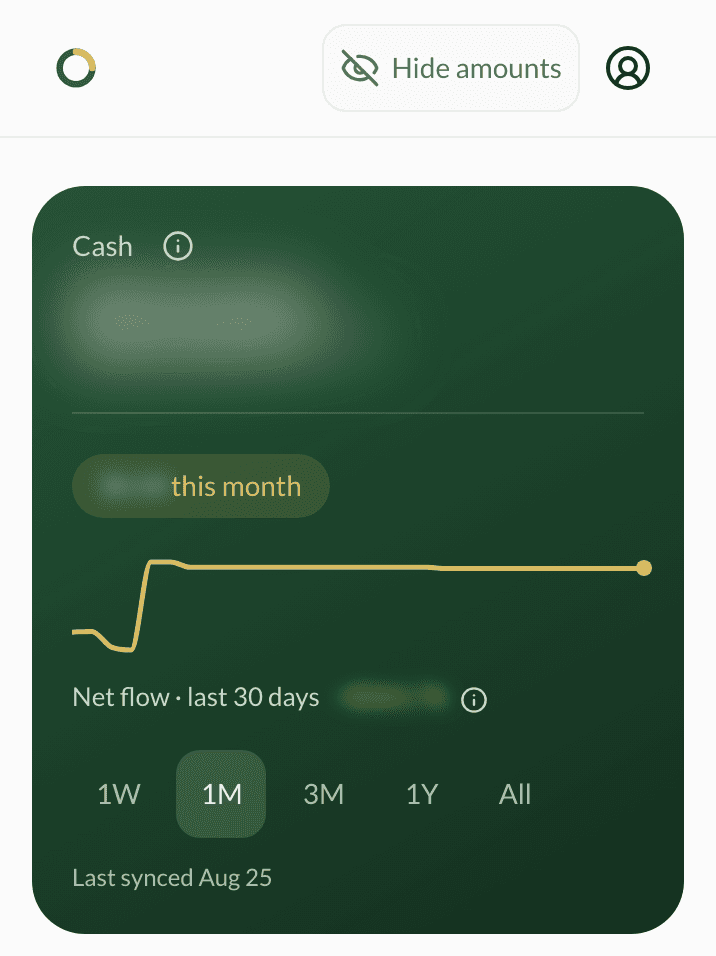
- The Hide amounts button in the top bar is the whole control. One tap hides every figure, one more brings them back, and the button keeps the same name so it always says what it is for.
- The Cash total blurs in place, so the layout never jumps and the card still reads as your card.
- The chart shape, the range tabs and the last synced date are all still there. Hiding the figures does not make the screen useless.
Read-only, always
Klir connects to your accounts to read them, and that is all it can do. It sees your balances and transactions, but it can never move, send, or spend a cent, not even by accident. Your bank connection runs through Plaid, the same service Venmo and Robinhood use, so Klir never sees your bank password.
Hide your amounts in one tap
Checking your balance on a train should not mean showing it to the person beside you. One tap in Klir's top bar blurs the amounts on screen, and one tap brings them back. Merchant names and category labels stay readable, so you can still see where your money went while the figures are hidden. Klir remembers the setting, so the next screen you open is already blurred before it appears.
Get in early
Klir is built and in final security review before it opens to the public. Add your email and we will tell you the day it does.
Join the waitlist